Organization
In OpenEOS, everything belongs to an organization — your club, event operator, or business. The organization is the central container for your events, products, members, devices, and reports.
In the top left of the sidebar you can see the name of your active organization and your role (e.g. Administrator).
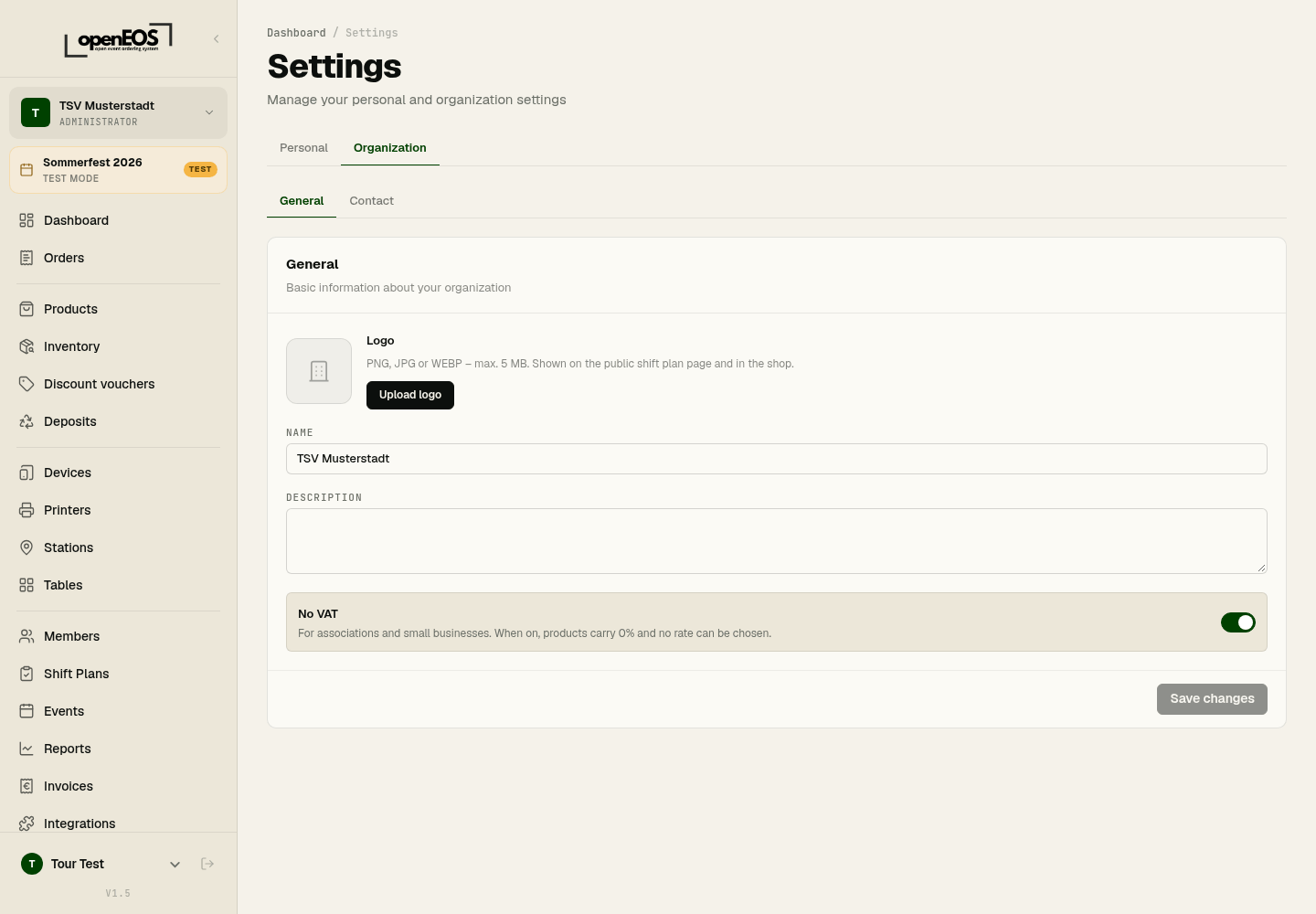
Managing organization details
You manage the name and other master data of your organization under Settings → Organization. The organization name appears on invoices and receipts, among other places, and can be changed at any time.
Data model at a glance
OpenEOS is structured hierarchically. This model helps you understand why some settings apply per event and others apply to the whole organization:
Organization (Riverside Sports Club)
├── Members & Permissions
├── Devices (tills, displays) & Printers
├── Areas & Tables
├── Deposit types & Discount vouchers
├── Shift plans
├── Integrations (e.g. SumUp)
└── Event (e.g. Summer Festival 2026)
    ├── Categories & Products
    ├── Stations (Kitchen, Bar, Serving area)
    ├── Which tables are used
    ├── Orders
    └── Inventory & Reports
Devices, printers, tables, deposit types, discount vouchers and members belong to the organization and are available across all events. Products, categories, stations, and orders, on the other hand, each relate to a specific event. Which areas with tables an event uses is set in the event.
Multiple organizations
Using the selector in the top left, you can switch between organizations — provided you are a member of more than one. You can also create another one there via New organization. Each organization has its own data, members, and reports.