Integrations
Integrations connect OpenEOS to other services, for example SumUp for card payments at the till. Every integration starts switched off; you only turn on what you actually need.
The page is reserved for administrators. Members see neither the catalogue nor an integration's settings.
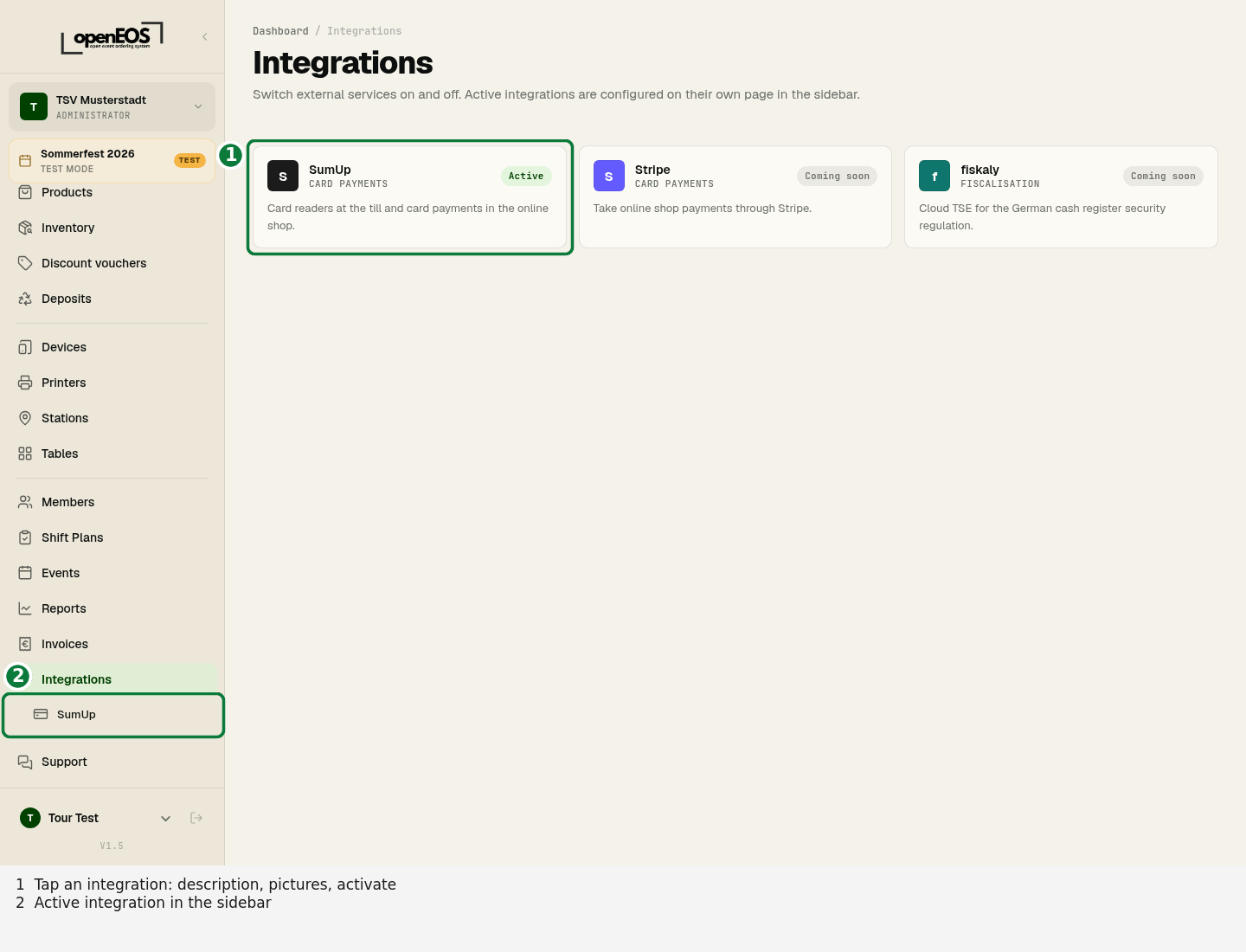
View and activate an integration
- Open Integrations in the sidebar.
- Click an integration. A window shows what it does, what you need for it, a few pictures and a link to the matching page in this handbook.
- Click Activate.
The integration then appears as its own entry directly below Integrations in the sidebar. That is where you set it up — for SumUp, the credentials and card readers.
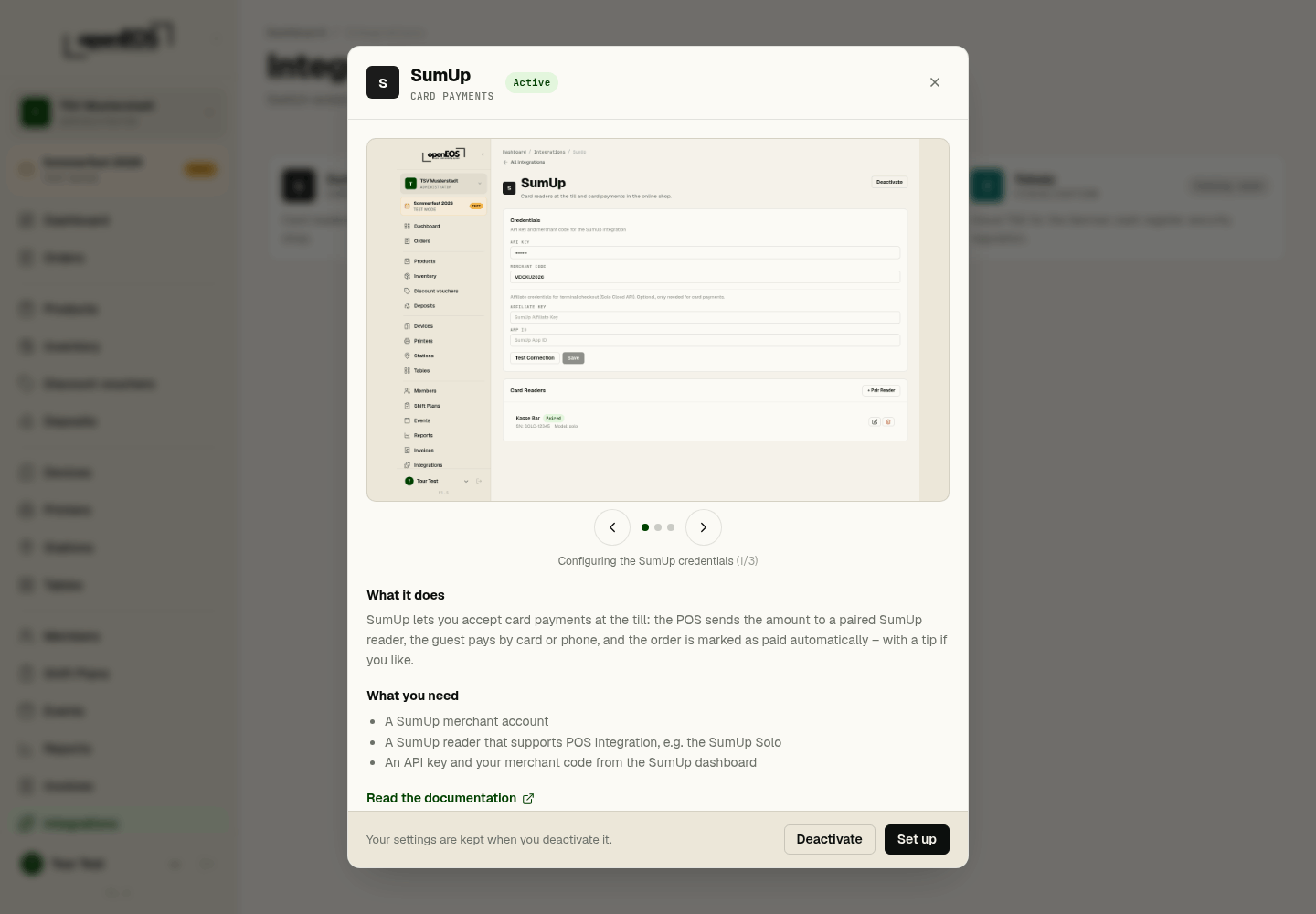
Switching off
Switch an integration off again with Deactivate, either in the same window or on its settings page. The sidebar entry disappears and the integration's features are no longer available — for SumUp, card payment at the till.
Your settings are kept. If you activate the integration again later, everything is set up as before.
Available integrations
| Integration | Purpose | Status |
|---|---|---|
| SumUp | Card payment with SumUp card readers at the till | available |
| Stripe | Online payments | in preparation |
| fiskaly | Cloud TSE (German KassenSichV) | in preparation |