Orders
Under Orders you get an overview of all orders in your organization — regardless of whether they were placed at the till, at a table, or online. Each row shows number, table (if any), channel and till, items, status, payment, amount and time. The section is used for live monitoring during operations and for tracing individual transactions.
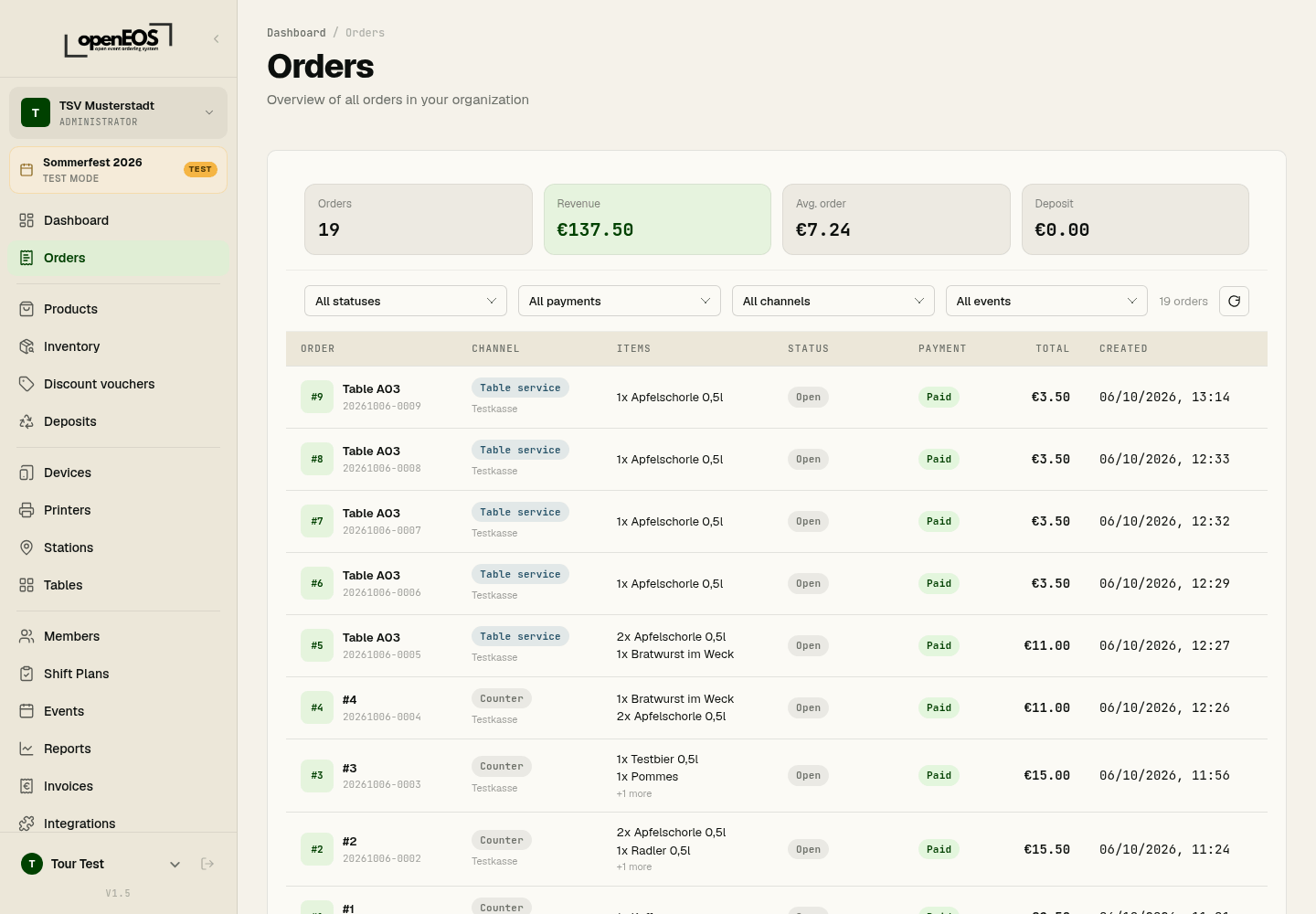
Key Metrics
At the top you see a summary of:
| Metric | Meaning |
|---|---|
| Orders | Number of orders matching the current filter |
| Revenue | Total revenue of the displayed orders |
| Avg. order | Average order value |
| Deposit | Deposit collected in the selected period |
Filtering
Use the filter controls to narrow the list by:
- Status – open, in progress, ready, completed or cancelled
- Payments – unpaid, partly paid, paid or refunded
- Channels – Table service, Counter or Online
- Events – by event
Use the Refresh button to reload the list.
Order Details
Select an order to view its details — line items, payment method, status, and any deposit. This lets you answer queries or trace individual transactions.
Thanks to the WebSocket connection, new orders appear in near real-time. Keep the orders overview open during operations to stay on top of things.