Reports
Reports gives you an overview of revenue, orders, and product analytics. Use it to evaluate your event — both during operations and for post-event accounting.
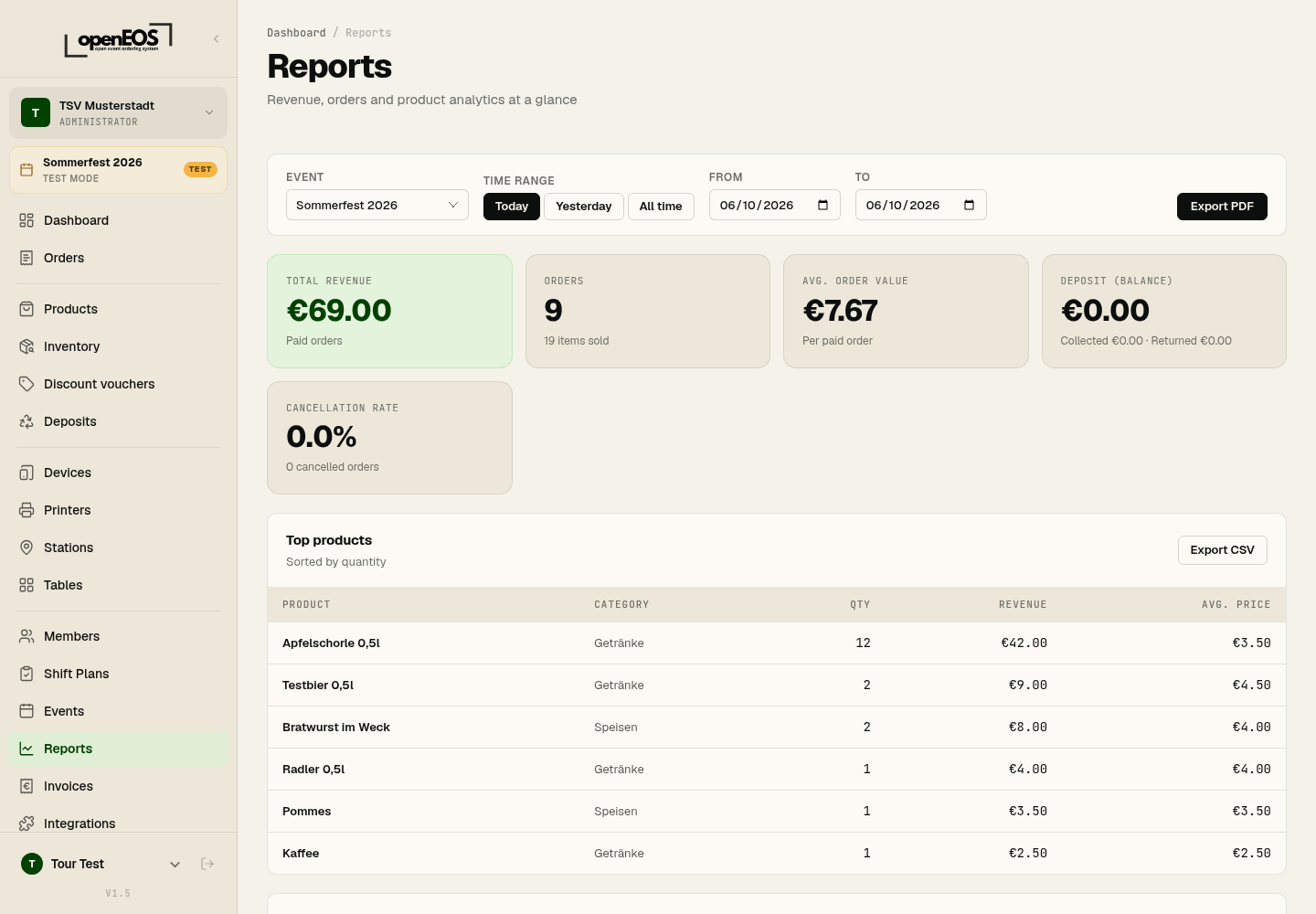
Selecting a Period and Event
At the top you filter the report by Event and Period. Quick-select options Today, Yesterday, and All time are available; alternatively, choose a custom From and To date.
Key Metrics
| Metric | Meaning |
|---|---|
| Total revenue | Revenue from paid orders |
| Orders | Number of orders / items sold |
| Avg. order value | Average per paid order |
| Deposit (balance) | Deposit collected minus deposit refunded |
| Cancellation rate | Share of cancelled orders |
Detailed Reports
- Top products – your best-selling products with quantity, revenue and average price, sorted by quantity.
- Top categories – revenue per category.
- Payment methods – breakdown of revenue by payment method.
- Revenue by channel – till, online shop and QR order compared.
- Revenue by device – which till took how much.
- Hourly breakdown – revenue per hour (0–23), ideal for identifying peak times.
Export
Each detailed report can be downloaded via Export CSV. This lets you process the data further in Excel or your accounting software.
After the event, select the All time period and export top products and payment methods as CSV — this simplifies the final settlement and the summary report for the board.
Exporting as PDF
Export PDF, top right, produces a finished summary of the chosen period — for printing, for cashing up, or for the committee meeting.
The PDF contains:
- A header with organization and period
- Headline figures: revenue and number of orders
- Revenue by hour as a bar chart, showing when the rush was
- Payment methods with count, amount and share
- Top products with quantity, revenue and average price
- Revenue by channel (till, online shop)
The file is named after the period, for example openeos-auswertung-sommerfest-2026.pdf, and downloads straight away. It is generated in the browser; with many orders that takes a moment, during which it reads Generating….
Choose All time (or From/To covering all event days) rather than Today if the event ran over several days — otherwise the other days are missing.
Alongside the PDF there is Export CSV for working on in a spreadsheet.